卡西卡的小寶庫
寶庫寶庫寶庫
Showing posts with label Google Map. Show all posts

Google Map API (6) 搜尋

Posted In: . By 卡西卡

關鍵:GClientGeocoder, getLocations
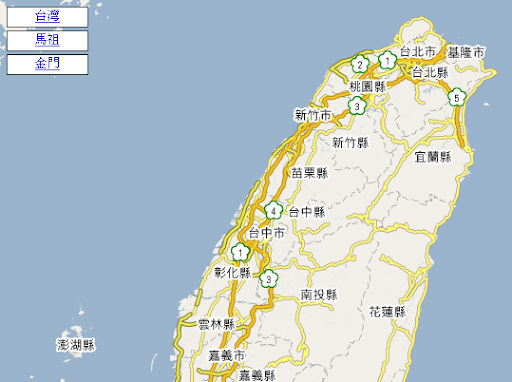
展示:http://klcintw.googlepages.com/google-map-GClientGeocoder.htm

<!DOCTYPE html PUBLIC "-//W3C//DTD XHTML 1.0 Strict//EN" 
  "http://www.w3.org/TR/xhtml1/DTD/xhtml1-strict.dtd">
<html xmlns="http://www.w3.org/1999/xhtml">
  <head>
    <meta http-equiv="content-type" content="text/html; charset=utf-8"/>
    <title>Google Maps (台灣)</title>
    <script src="http://maps.google.com/maps?file=api&amp;v=2&amp;key="
      type="text/javascript" for="http://klcintw.googlepages.com"></script>
   1:  
   2:     <script type="text/javascript">
   3:     //<![CDATA[
   4: var map = null;
   5: var geocoder = null;
   6: function load() {
   7:     // 檢查瀏覽器是否可使用 Google Map API
   8:     if ( GBrowserIsCompatible() ) {
   9:         map = new GMap2(document.getElementById("map"));
  10:         geocoder = new GClientGeocoder();
  11:         
  12:         // 設定地圖中心點
  13:         map.setCenter(new GLatLng(25.036772,121.520269), 14);
  14:     } // if
  15: }
  16:  
  17: // showLocation() is called when you click on the Search button
  18: // in the form.  It geocodes the address entered into the form
  19: // and adds a marker to the map at that location.
  20: function showLocation() {
  21:     var address = document.forms[0].q.value;
  22:     geocoder.getLocations(address, addAddressToMap);
  23: }
  24:     
  25: // addAddressToMap() is called when the geocoder returns an
  26: // answer.  It adds a marker to the map with an open info window
  27: // showing the nicely formatted version of the address and the country code.
  28: function addAddressToMap(response) {
  29:     map.clearOverlays();
  30:     if (!response || response.Status.code != 200) {
  31:         alert("查無資料!\n Sorry, we were unable to geocode that address");
  32:     } // if
  33:     else {
  34:         place = response.Placemark[0];
  35:         point = new GLatLng(place.Point.coordinates[1],
  36:                             place.Point.coordinates[0]);
  37:         marker = new GMarker(point);
  38:         map.addOverlay(marker);
  39:         marker.openInfoWindowHtml(place.address + '<br>' +
  40:           '<b>Country code:</b> ' + place.AddressDetails.Country.CountryNameCode);
  41:     } // else
  42: }
  43:     
  44: // findLocation() is used to enter the sample addresses into the form.
  45: function findLocation(address) {
  46:     document.forms[0].q.value = address;
  47:     showLocation();
  48: }     
  49:     //]]>
  50:   
</script>
  </head>
  <body onload="load()" onunload="GUnload()">
  <h1>GClientGeocoder</h1>
    <form action="#" onsubmit="showLocation(); return false;">
      <p>
        <b>地址:</b>
        <input type="text" name="q" value="古亭國小" class="address_input" size="40" />
        <input type="submit" name="find" value="Search" />
      </p>
    </form>  
    <div id="map" style="width:500px; height:350px"></div>
    <ul>
    <li><a href="javascript:findLocation('台北市羅斯福路三段201號');">古亭國小(以地址尋找)</a></li>
    <li><a href="javascript:findLocation('古亭國小');">古亭國小(以名稱尋找)</a></li>
    </ul>
  </body>
</html>

snap026


Google Map API (5) AJAX

Posted In: , . By 卡西卡

參考資料:


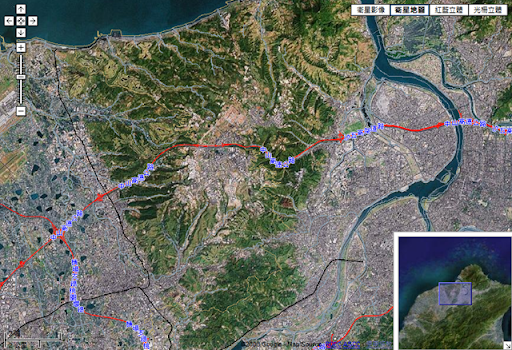
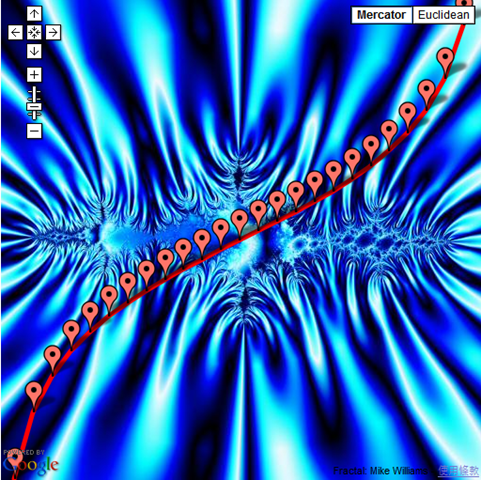
GTileLayer:自己提供地圖圖檔在GMap上呈現。

重點在覆寫getTileUrl提供圖檔url。
b_tileLayers[0].getTileUrl = function(tile, zoom) {
  return "http://140.109.174.55/googlemap/stereo/"+zoom+
    '/'+tile.x+'/IMG_'+tile.x + '_' + tile.y + '_'+zoom+".jpg";
}

實例:


snap022

參考資料:


[筆記]Google Map API (2)

Posted In: . By 卡西卡

  • 處理地圖移動事件[]
    // 移動地圖後在中心點顯示座標
    GEvent.addListener(map, "moveend",
      function() { 
        var center = map.getCenter();
        map.openInfoWindow(map.getCenter(),document.createTextNode(center.toString()));
      }
    );

    // 縮放地圖後顯示前後級別
    GEvent.addListener(map, "zoomend",
      function(oldLevel,newLevel) { 
        document.getElementById("out").innerHTML = "oldLevel="+oldLevel+" , newLevel="+newLevel;
      }
    );
    // 顯示滑鼠點到的座標   
    GEvent.addListener(map, "click",
      function(overlay,latlng) {
        document.getElementById("log").value = latlng.toString();
      }
    );
  • 取得目前地圖的可視範圍,隨機加入10個標籤,並畫線[GLatLngBounds, GPolyline, ] 
    var bounds = map.getBounds();
    var southWest = bounds.getSouthWest(); // 返回矩形西南角的點
    var northEast = bounds.getNorthEast(); // 返回矩形東北角的點
    var lngSpan = northEast.lng() - southWest.lng();
    var latSpan = northEast.lat() - southWest.lat();
    var points = [];
    for (var i = 0; i < 10; i++){
        var point = new GLatLng(
            southWest.lat() + latSpan * Math.random(),
            southWest.lng() + lngSpan * Math.random());
        points.push(point);
        map.addOverlay(new GMarker(point));
    } // for
    // 排序
    points.sort(function(p1, p2) { return p1.lng() - p2.lng();});
    map.addOverlay(new GPolyline(points));

    snap021
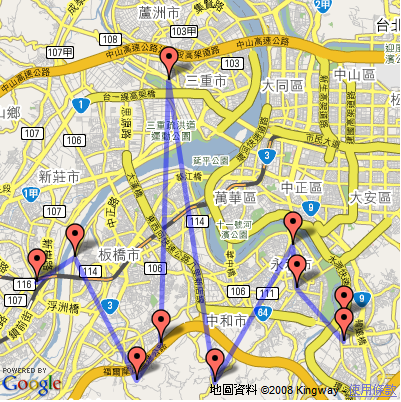
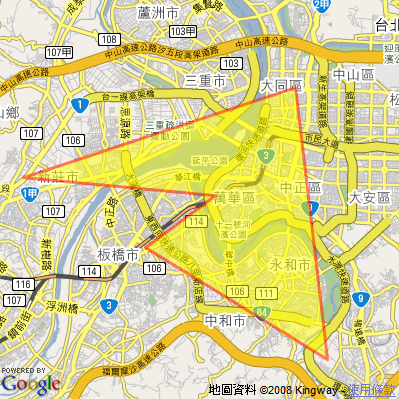
  • 多邊形並著色[GPolygon, ]
    // 地圖 (400x400)
    map.setCenter(new GLatLng(25.02837276205344, 121.48509979248047), 12);
    var points = [];
    points.push(new GLatLng(25.030000,121.490556)); // 萬華
    points.push(new GLatLng(25.035556,121.424722)); // 新莊
    points.push(new GLatLng(25.063611,121.518056)); // 中山
    points.push(new GLatLng(24.978889,121.529167)); // 新店
    points.push(new GLatLng(25.013611,121.466667)); // 板橋
    points.push(new GLatLng(25.030000,121.490556)); // 萬華(封閉)
    map.addOverlay(new GPolygon(points,'#FF0000',3,0.5,'#ffff00',0.5));

    snap020


Google Map API (1)

Posted In: . By 卡西卡

Google 地圖

  1. 申請 Google Maps API Key
    網址:Sign Up for the Google Maps API
  2. 網頁編碼要用 UTF-8
    <meta http-equiv="content-type" content="text/html; charset=utf-8"/>
  3. 基本程式 [GMap2]
  4. 增加功能:
    • 滑鼠滾輪拉近拉遠
      map.enableScrollWheelZoom();
    • 地圖大小、移動控制項
      map.addControl(new GLargeMapControl());
      map.addControl(new GSmallMapControl());
    • 地圖型態控制項(地圖、衛星、混合地圖、地形)
      map.addControl(new GMapTypeControl());
      map.addMapType(G_PHYSICAL_MAP); //增加地形圖 (參考:GMapType.Constants)
      map.setMapType(G_NORMAL_MAP); //設定預設地圖型態
    • 地圖型態控制項(下拉式)
      map.addControl(new GMenuMapTypeControl());
    • 鳥瞰圖
      map.addControl(new GOverviewMapControl());
    • 比例尺
      map.addControl(new GScaleControl());
  5. 在地圖上插上標籤 [GLatLng, GMarker, ]
    // 中正紀念堂
    var pos = new GLatLng(25.036772,121.520269);
    var mark = new GMarker(pos);
    map.addOverlay(mark);
  6. 插上自訂標籤 [GIcon, GMarkerOptions, GSize, GPoint, ]
    // 自訂標籤
    var icon=new GIcon();
    icon.image = "mark.gif";
    icon.iconSize = new GSize(16,16);
    icon.iconAnchor = new GPoint(8,8);
    icon.shadow = "mark.gif";
    icon.shadowSize = new GSize(1,1);
    icon.infoWindowAnchor = new GPoint(8, 8);
    icon.infoShadowAnchor = new GPoint(8, 8);
    // 中正紀念堂
    var pos = new GLatLng(25.036772,121.520269);
    var mark = new GMarker(pos, {icon:icon});
    map.addOverlay(mark);
  7. 點擊標籤顯示訊息
    // 處理mark的click事件
    GEvent.addListener(mark, "click", function() {mark.openInfoWindowHtml('中正紀念堂<br>可用HTML'); });
  8. 程式移動地圖
    // 5秒後移至台北火車站
    window.setTimeout(function() {
      map.panTo(new GLatLng(25.048708,121.516128));
    }, 5000);
     

參考資料: